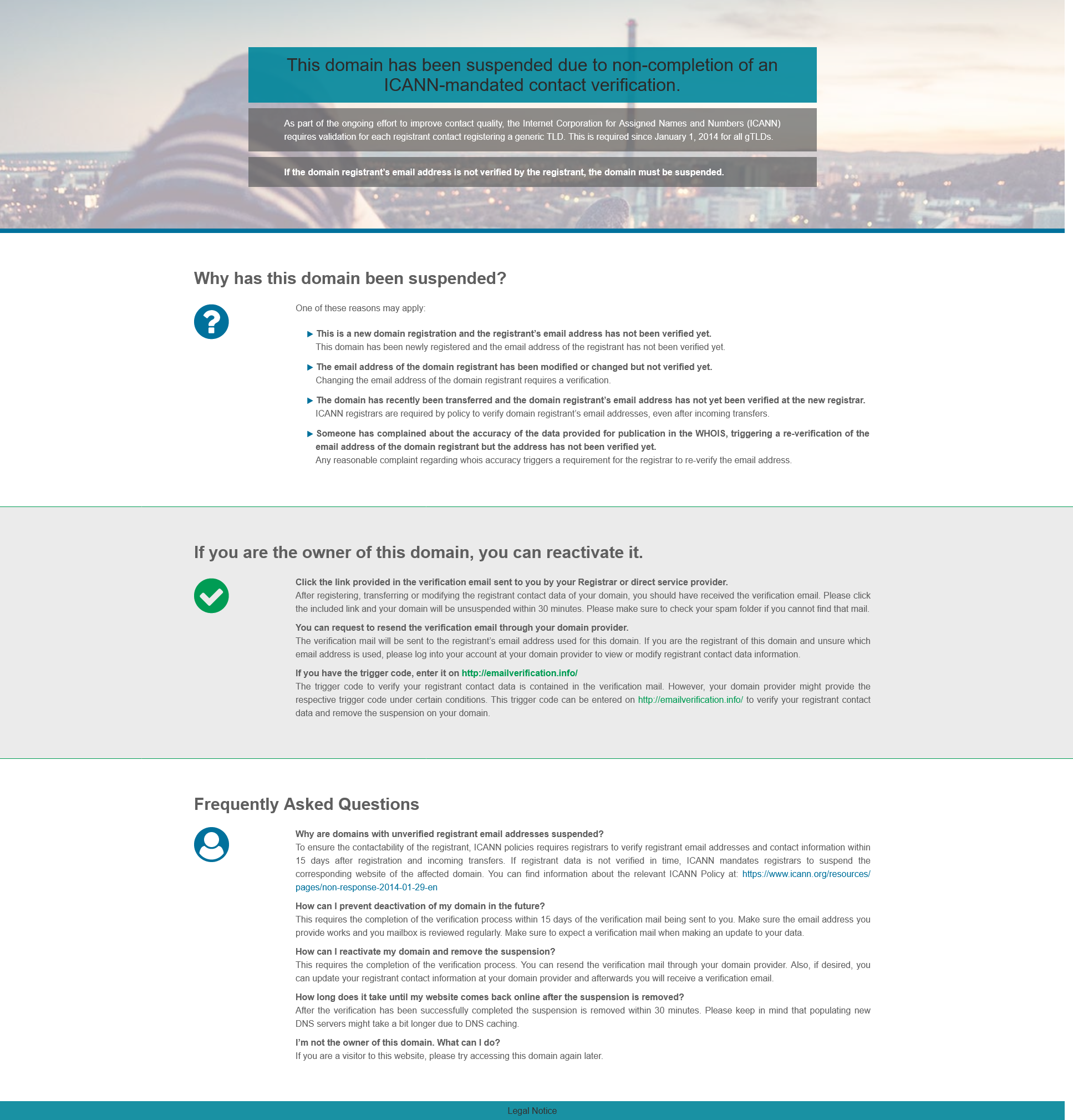
The following applies to ICANN gTLDs (this includes, for example, .com, .net, and .org among others)
This does not apply to many other domain types including .ca domains, which are not governed by ICANN.
About the Verification Requirements
Under certain circumstances, ICANN rules dictate that contact information must be verified to keep your domain up. We cannot override this. See this page for some example scenarios: https://www.icann.org/resources/pages/contact-verification-2013-05-03-en - the main culprit is usually when someone transfers their domain or changes the contact info on file.
There have been a couple of instances where we’ve been asked to clean up or correct poorly formatted or missing contact information for hundreds of domains at a time, and this has triggered the email verification step for many of them.
You won’t lose ownership of your domain if you don’t verify your contact information, however, any traffic will be redirected to an info page about the suspension. This includes email traffic, which can complicate the recovery process if you list an email address that uses the domain in question.
How Will I Know When This Happening?
If you change your registrant information, and then receive an email from noreply@emailverification.info, then this means that the verification step has been triggered. A sample copy of this email is at the bottom of this article. This is a legitimate email regarding your domain, and all you need to do is click the link provided inside to verify that your email address is correct.
In addition, if you go to the registrant contact information page in your client area, you will see a yellow banner will appear above the contact information form that says “Verification Required”.
To find your registrant contact information:
- Log in to your client portal (manage.fullhost.com)
- Click on “domains”
- Click on the “…” to the right of the domain in question
- Click on “Edit Contact Information”.
If you don't see editable fields for your domain or otherwise run into issues, please contact support.
We strongly encourage you to use an email address that is independent of the domain in question, otherwise, if there are issues with your domain (IE a lapse in registration or poorly configured DNS records) you will be unable to send and receive correspondence.
I Don’t Trust This Email, How Do I Verify That This Is Legitimate?
Here is what the linked website emailverification.info should look like. The only thing you need to submit is the code from the email body. The page will not ask you for login credentials or payment information - only the trigger code.
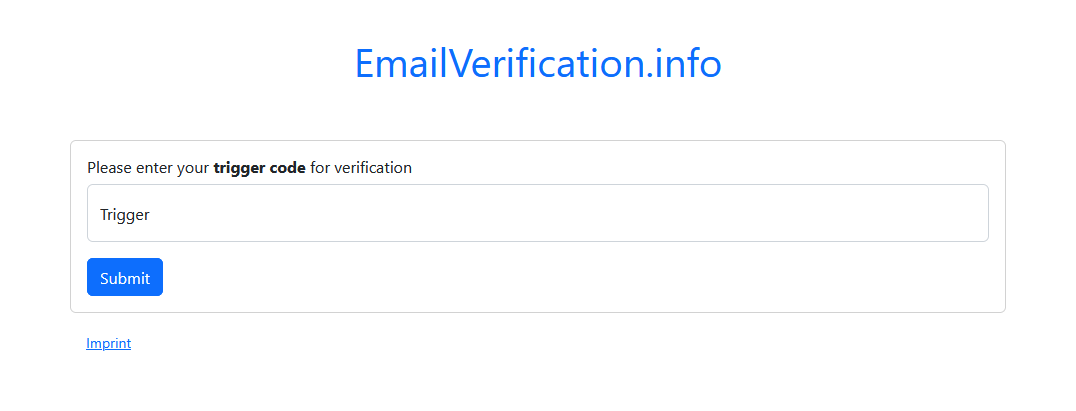
If you are worried this email is phishing with a deceptively written link, you can independently reach the site by entering emailverification.info into your address bar and pressing enter. Copy/paste the trigger code from the email body into the online form.
Additionally, you can verify whether the domain requires info verification by logging into our client area and looking at the contact info your domain is registered with. This is stored separately from the contact information you signed up for our services with and can become out of sync.
How Do I Find the Contact Information My Domain Was Registered with on FullHost?
Please note that this is independent of the contact information you’ve listed for your account – it may not be the same and it is not synchronized with your FullHost account information.
To find your domain contact information:
- Log in to your client portal (manage.fullhost.com)
- Click on “domains”
- Click on the “…” to the right of the domain name in question
- Click on “Edit Contact Information”. If verification is required, a yellow banner will appear above the contact information form that says “Verification Required”.
If any of the information is incorrect, please correct it. Most web developers register their clients’ domains under their company for simplicity. This can ease the administrative burden of owning a domain.
My Domain Got Suspended, and I Never Got an Email, What Do I Do?
The short-and-sweet explanation is below. There is also a more detailed guide with pictures if you click here.
To find your domain contact information:
- Log in to your client portal (manage.fullhost.com)
- Click on “domains”
- Click on the “…” to the right of the domain in question
- Click on “Edit Contact Information”.
If verification is required, a yellow banner will appear above the contact information form that says “Verification Required”.
If the email address is correct, make sure you check your spam folder. If the email address is not correct, update it, and a new email should be sent within five minutes, then just click the link in the email. If you do not receive the email, contact support and we will do our best to assist you.
We strongly encourage you to use an email address that is independent of the domain in question. Otherwise, if there are issues with your domain (IE a lapse in registration or poorly configured DNS records) you will be unable to send and receive correspondence.
Sample Email Verification Email
From : noreply@emailverification.info
Subject : Request for email address validation
To : example@example.comSun, Feb 23, 2025 12:34 AM
Dear registrant or prospective registrant, due to the requirements under the ICANN Registrar Accreditation Agreement we are required to confirm the validity of the email address provided for the domain name registration application or contact creation.
The domain(s) listed below were registered/updated with your e-mail address in the domain owner contact. It is now mandatory that you confirm the accessibility of your email address. Verification required until / Domain Name
2025-03-10 06:33:04 example.com
You will only have to do this once for each email address used.
Please click on the following link to confirm that you have received
this email and to validate your email address:<http://emailverification.info?trigger=N3AUSPhJjizWCh2CFFri5YuhvtPzPZx8T1xqE02cKdKhZkykUg4Z9ddnHNGU3qT6%3D&email=example@example.com>
If the above shown link should be broken please proceed to
http://emailverification.info
and enter your personal validation token into the form field:
trigger = N3AUSPhJjizWCh2CFFri5YuhvtPzPZx8T1xqE02cKdKhZkykUg4Z9ddnHNGU3qT6
Please note that in case you do not validate your email address, we are required to suspend your domain name registration(s) using these contact details no later than:
Monday March 10. 2025 06:33:04 UTC
After the suspension date you can always re-activate your domain name(s) by confirming the address as described above.
IMPORTANT NOTE:
If you do not carry out this confirmation, the domain registration guidelines prescribe that the status of your domain (s) mentioned above is changed to "on hold". In consequence your domain(s) can not be reached anymore.Thank you very much for your cooperation!
Best regards,
Your ICANN Accredited Registrar
Sample Suspension Page