
We support automatic billing using PayPal and credit card. We will use the default billing method to automatically pay your bills on their due date.
Here is a step-by-step walkthrough to add a payment method to your account.
First, log in to manage.fullhost.com to reach your client area dashboard - you'll be looking at a screen similar to what is below: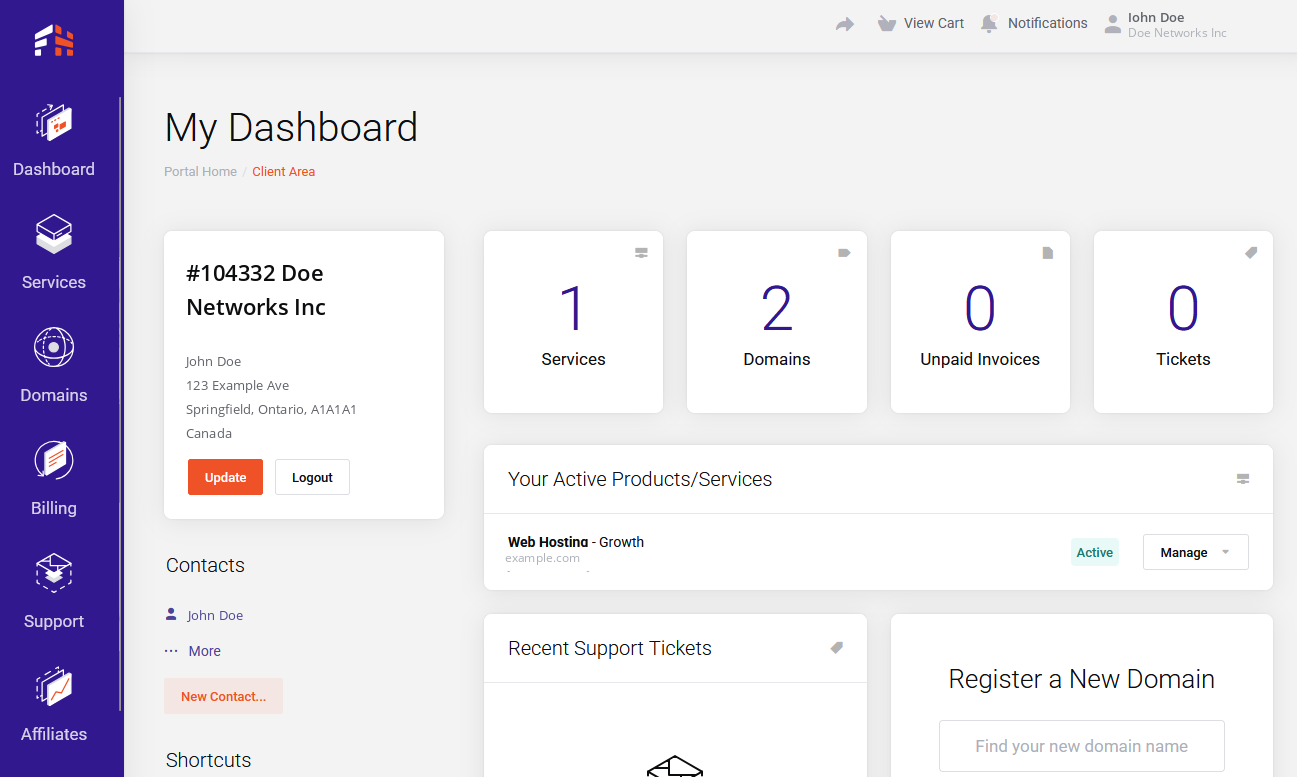
Next, click on the username in the top right corner, a new menu will drop down. Click on "Payment Methods" (underlined in yellow) to continue.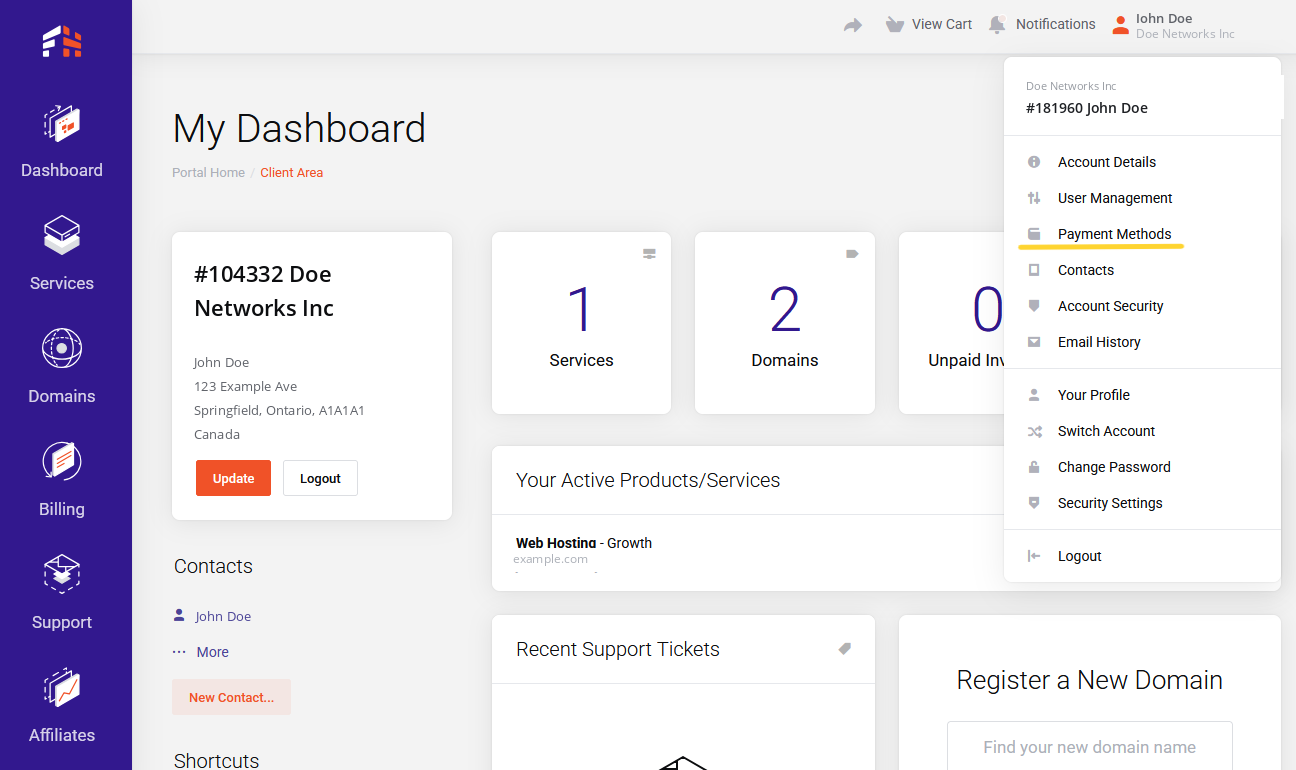
After clicking on "payment methods" from the menu shown above, you will arrive at the payment methods area shown below. Click "Add a New Credit Card" or "Create PayPal Billing Agreement".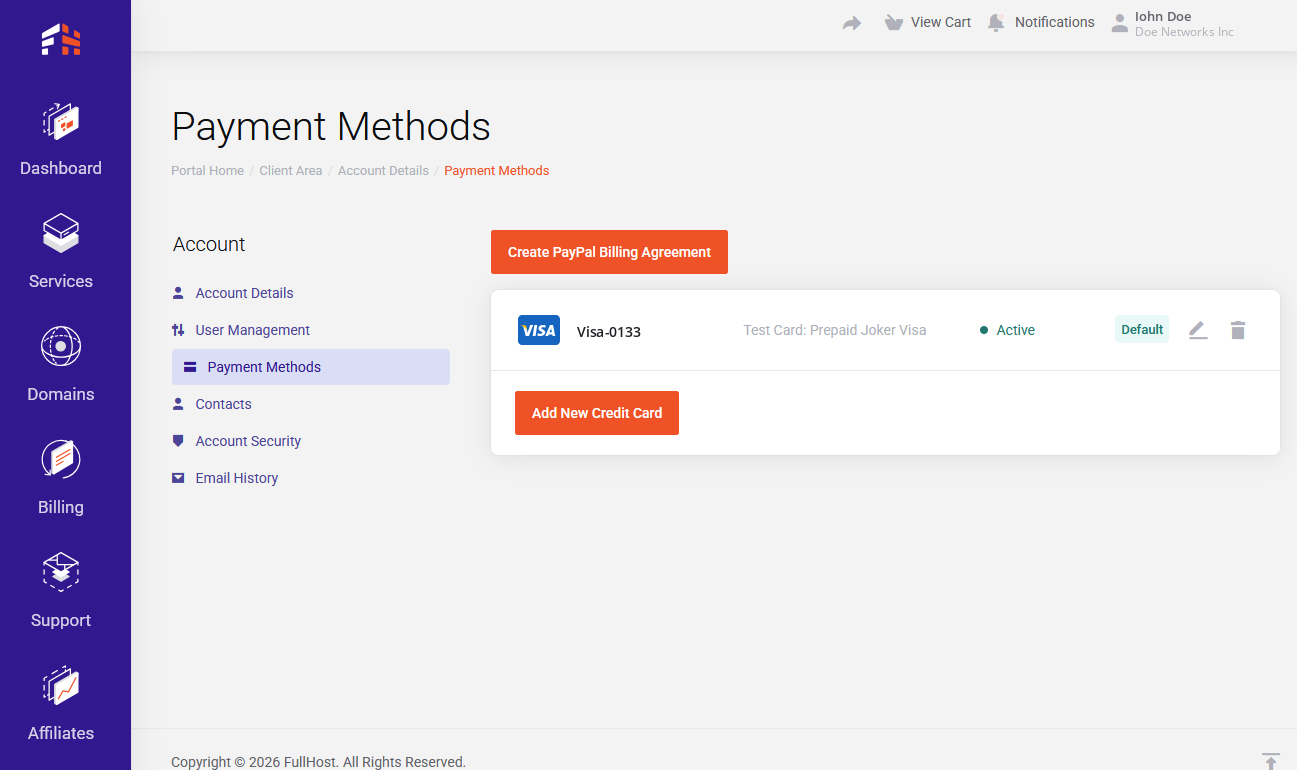
Below is our credit card form. Fill everything out, then click "save changes". If this does not succeed, please contact billing support and tell us what happened.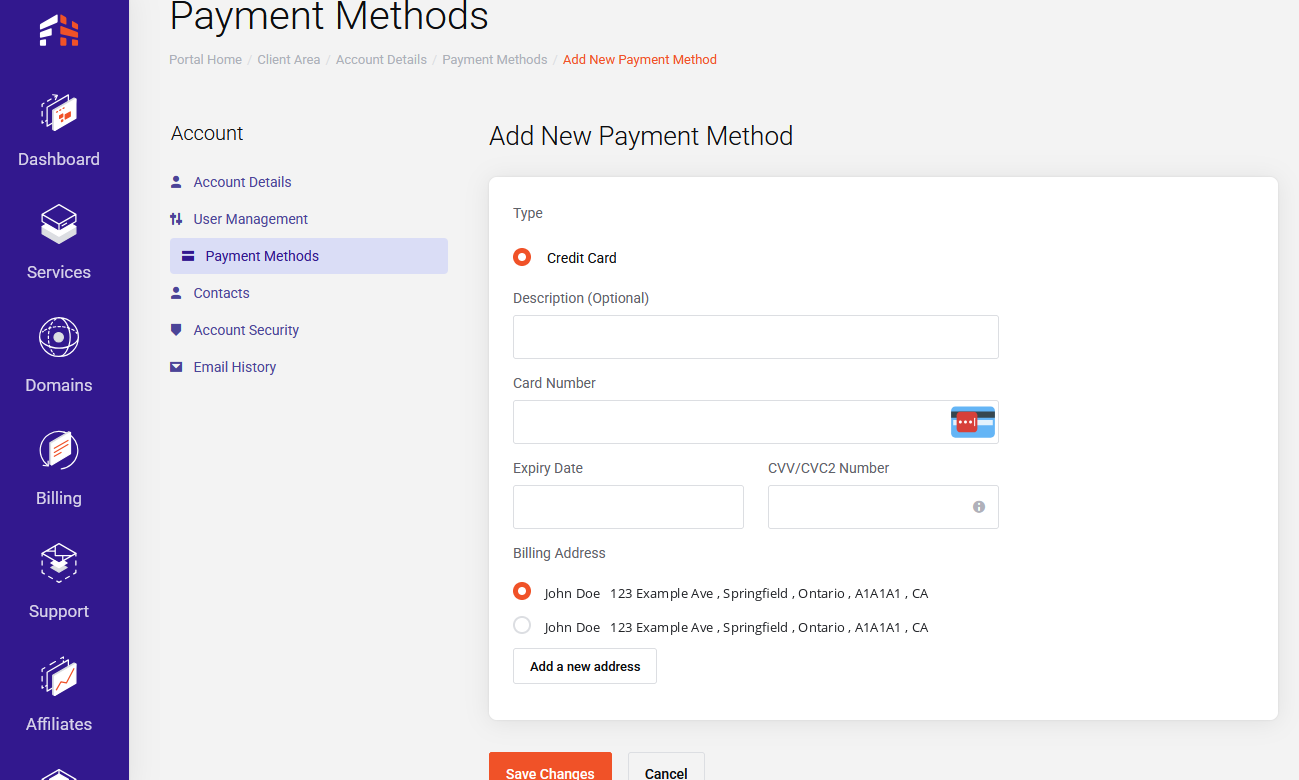
For help with PayPal billing agreements, please contact PayPal support.