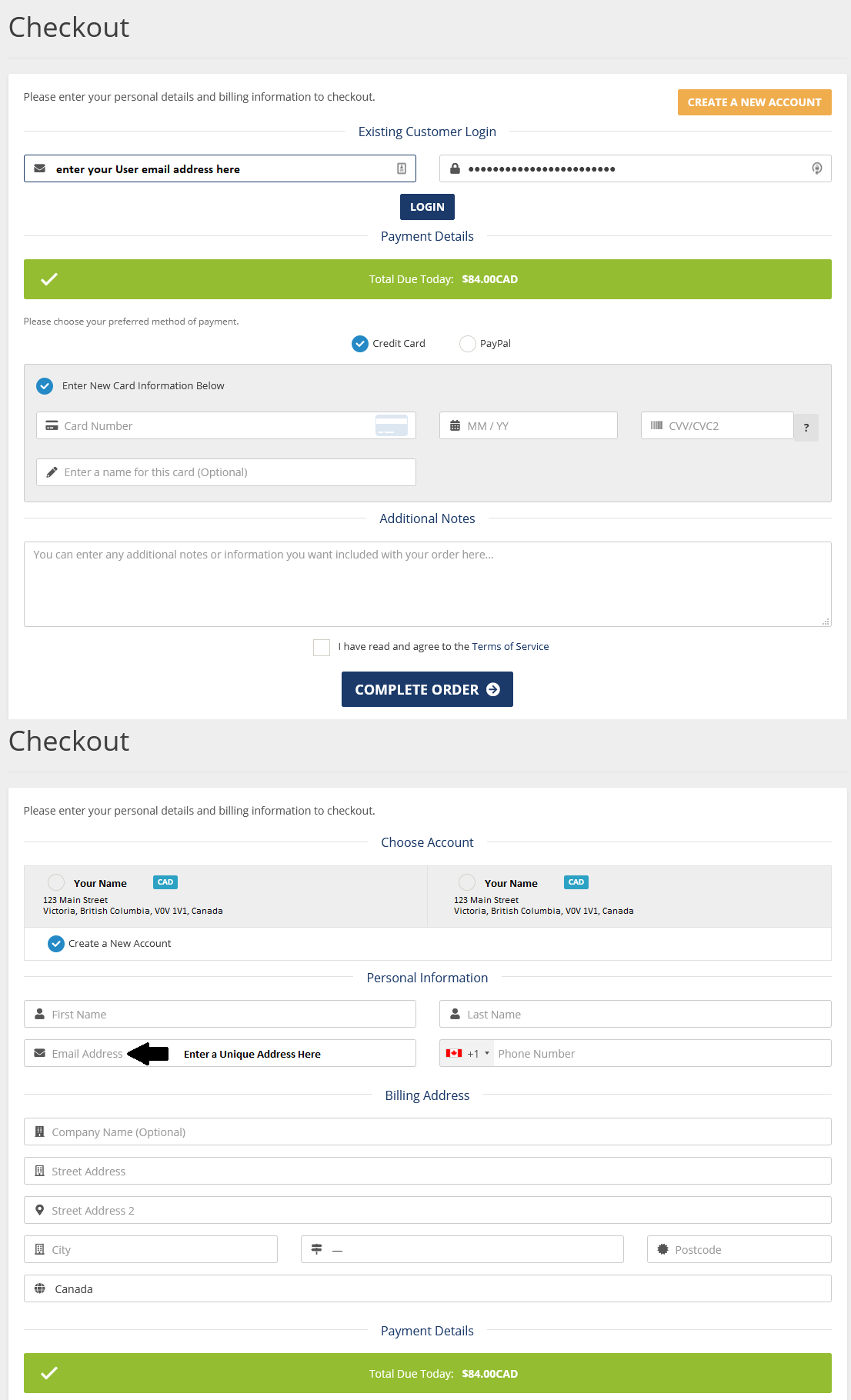
With the new User Management approach, the User is now what controls logging in to an account. However, the Account Owner, which is the information contained in the account opening profile, needs to have a separate email address associated to it.
How to create a New Client Account associated to my User log in?
- Select the hosting plan on our site, and go through the ordering process.
- Once you have completed the hosting sign up part and go to check out, you have the option to select Create a New Account or Existing Customer Log in. Choose Existing Customer Log in. Enter your email address and password with your User to and press Log in.
- The screen will change and show you a list of all accounts that your email address is attached to. You can then choose which account to open this under, or select Create a New Account.
- In the personal information and billing address, complete the information that will be stored on the client account profile. The email address must be unique, but will still be accessed by the User you've logged in as. All other information can remain the same, but when you log in, there will not be anything to differentiate the account you are attempting to log in with. The information displayed will the Name, Company Name, and Mailing Address. Make one of these unique, such as Company Name, so you know which account you are accessing.
Why would I need to open a separate client account for a new hosting plan?
- You are a design agency and plan to pass the account over to the client after you have set up the hosting plan
- You need to have a separate billing method stored on file (while you can currently store multiple payment methods for one client account, only one can be the default and you cannot assign payment methods to one product)
- You have external parties, or other parties you plan to invite as Users and want to restrict which products that they can access.
If you are ever changing the account information in the future note that the User is what controls the log in and you will need to create a new User if you are handing this account over to them. Additionally, once the User is created, they need to be set to be the owner of the account. Changing who owns the account as the main User needs to be done by us, open a support ticket to Client Support with the subject Change Main User.