
If you are getting a disk space usage warning from cPanel and don't know which directory is using too much space, then this tutorial will be helpful for you.
1. Log in to your cPanel account.
2. In the Files section, click on Disk Usage.

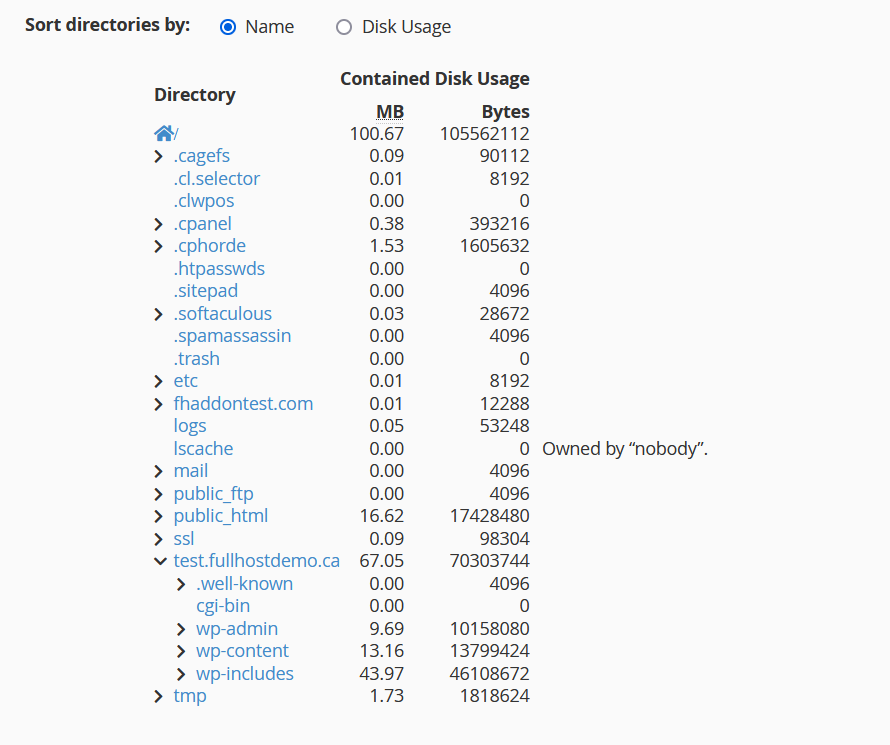
3. In the Disk Space Usage area, scroll down to the bottom of the page, and you can see a directory tree and how much disk each directory uses. You can click on the ">" icon corresponding to each directory to expand the directory tree to have a better understanding of the website disk space usage.
This is a very useful tool to manage the disk space usage of your cPanel hosting account.
