
A subdomain is an additional part of your primary domain. For example, test.fullhostdemo.ca is a subdomain. Please, follow this tutorial to create a subdomain in cPanel. Please note that subdomains are created under the Domains interface in the new Jupiter theme.
1. Log in to your cPanel account.
2. In the Domains section, click on Domains.

3. Click on Create A New Domain on the right-hand side.

4. Enter the subdomain name to add in the Domain text box. Deselect the Share document root (/home/username/public_html) with “domain.tld option. Enter the directory where you want the subdomain files to exist
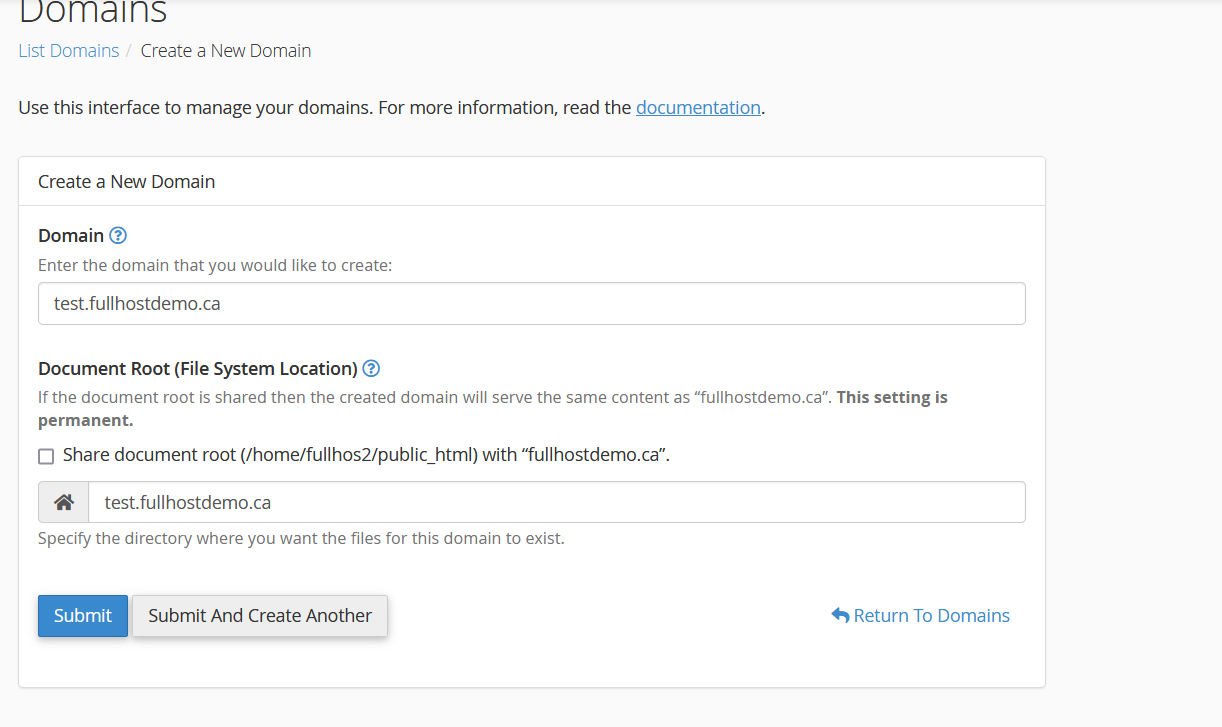
5. Click Submit
You should see a success message that the subdomain has been created.
