
You can forward a domain you have with fullhost to another domain using the fullhost “DNS Host Record Management” tool.
(Please note that this tool only be used if the domain is not hosted in Fullhost servers. If the domain is hosted in a Fullhost server, you can redirect the domain through cPanel as described here: https://manage.fullhost.com/knowledgebase/397/How-to-Redirect-your-website-to-any-page-or-external-domain-.html)
Fullhost client area > Domains > select your domain
If you haven’t already ordered this addon, you will have to first order the addon.
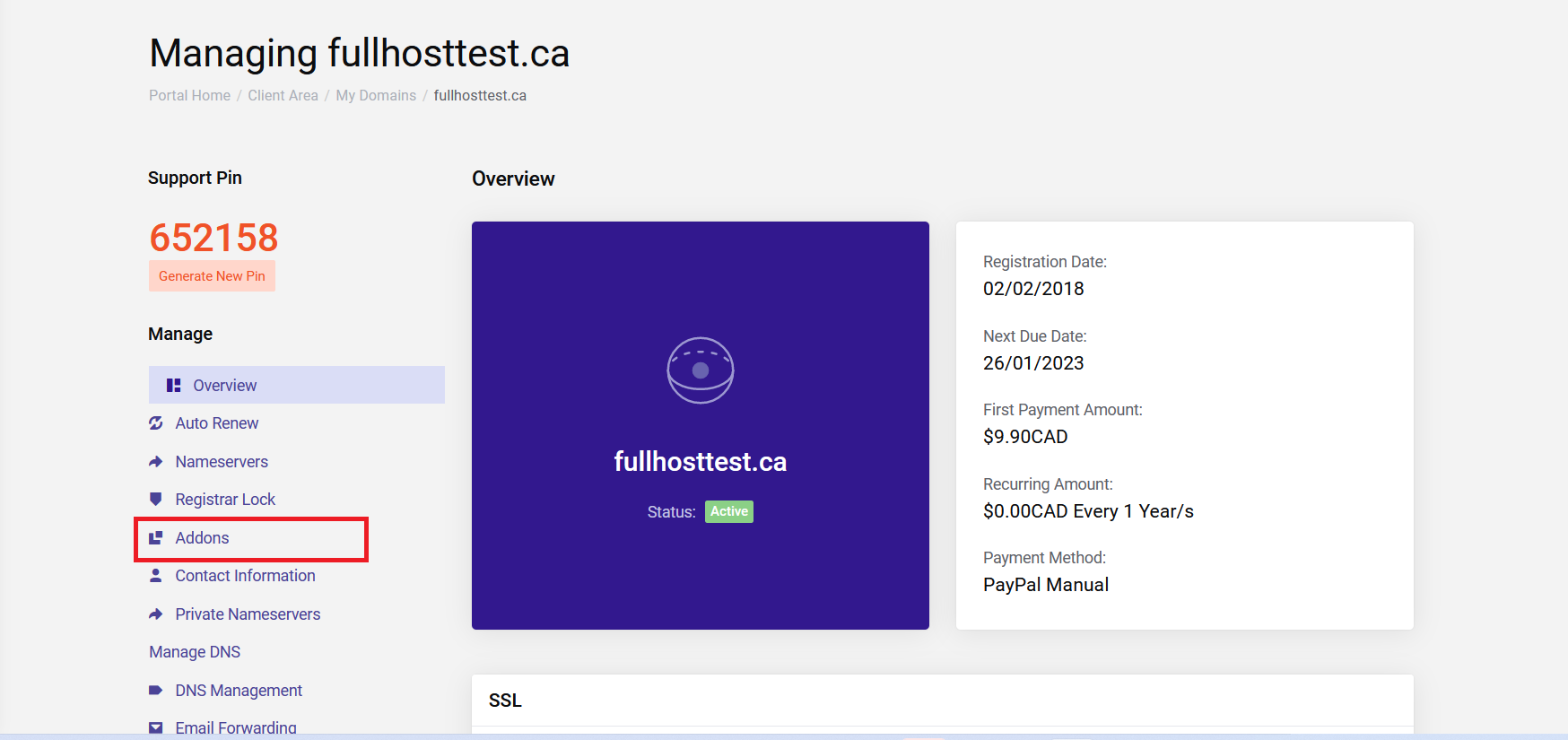
On the left-hand side menu, you can see the option “Addons”.
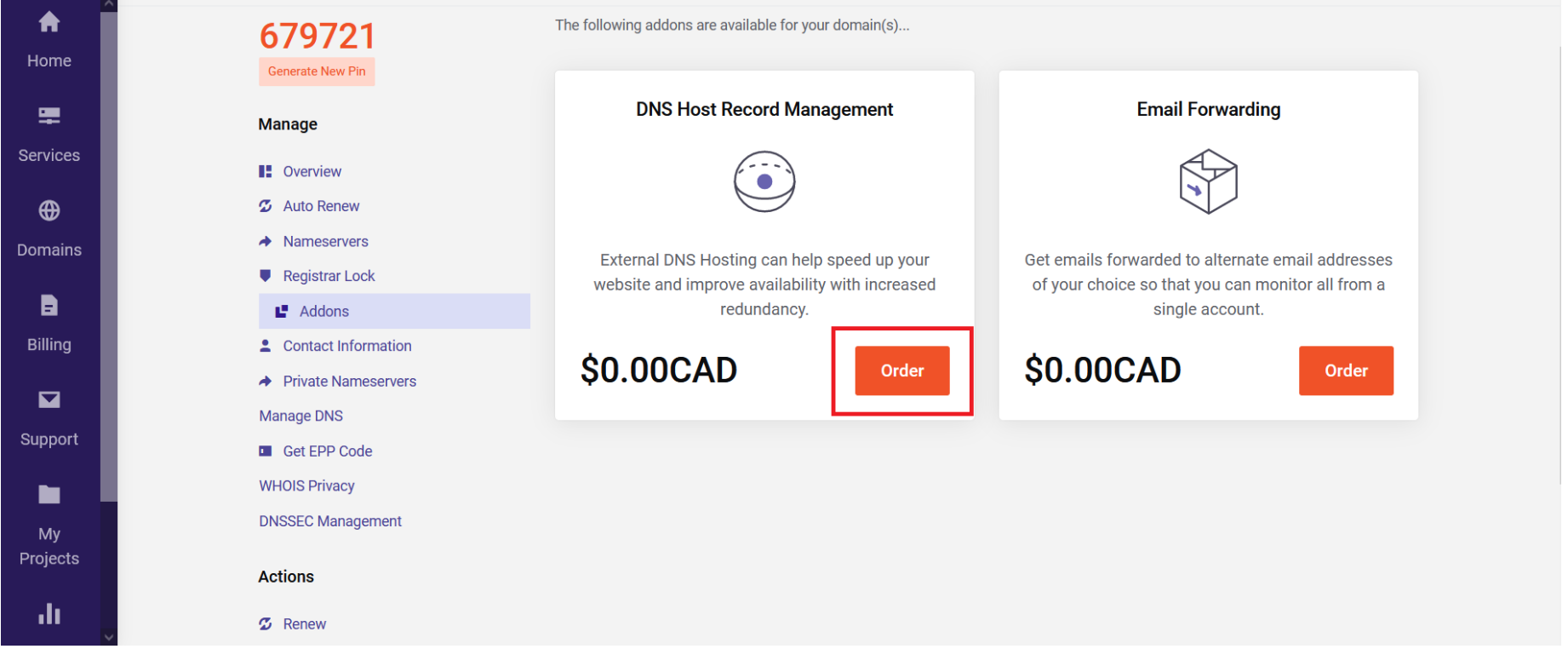
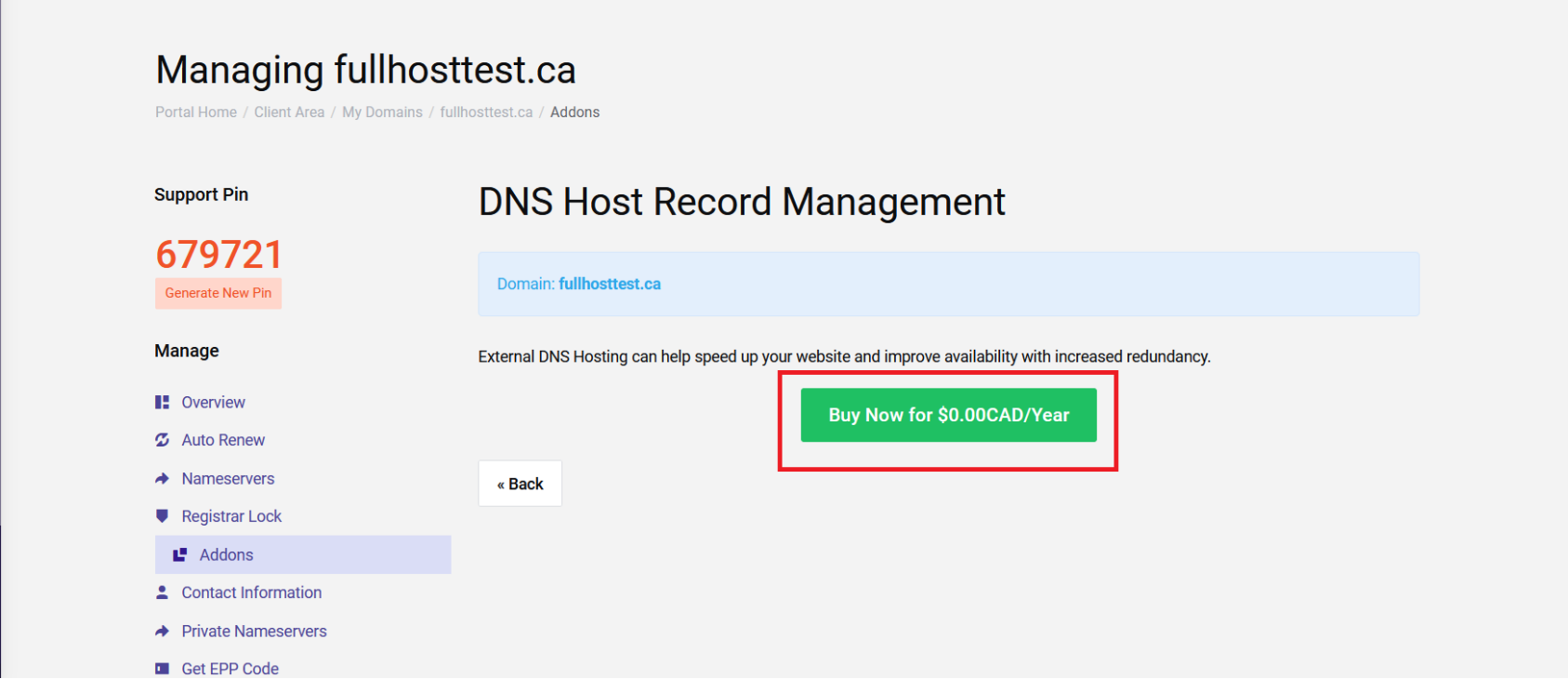
Here you can see available addons. To redirect a domain to another domain, you need to order the addon” DNS Host Record Management”. No need to worry, this tool won’t cost you any money it will invoice you $0.00CAD. Click “Order” and then “Buy Now for $0.00CAD/Year”
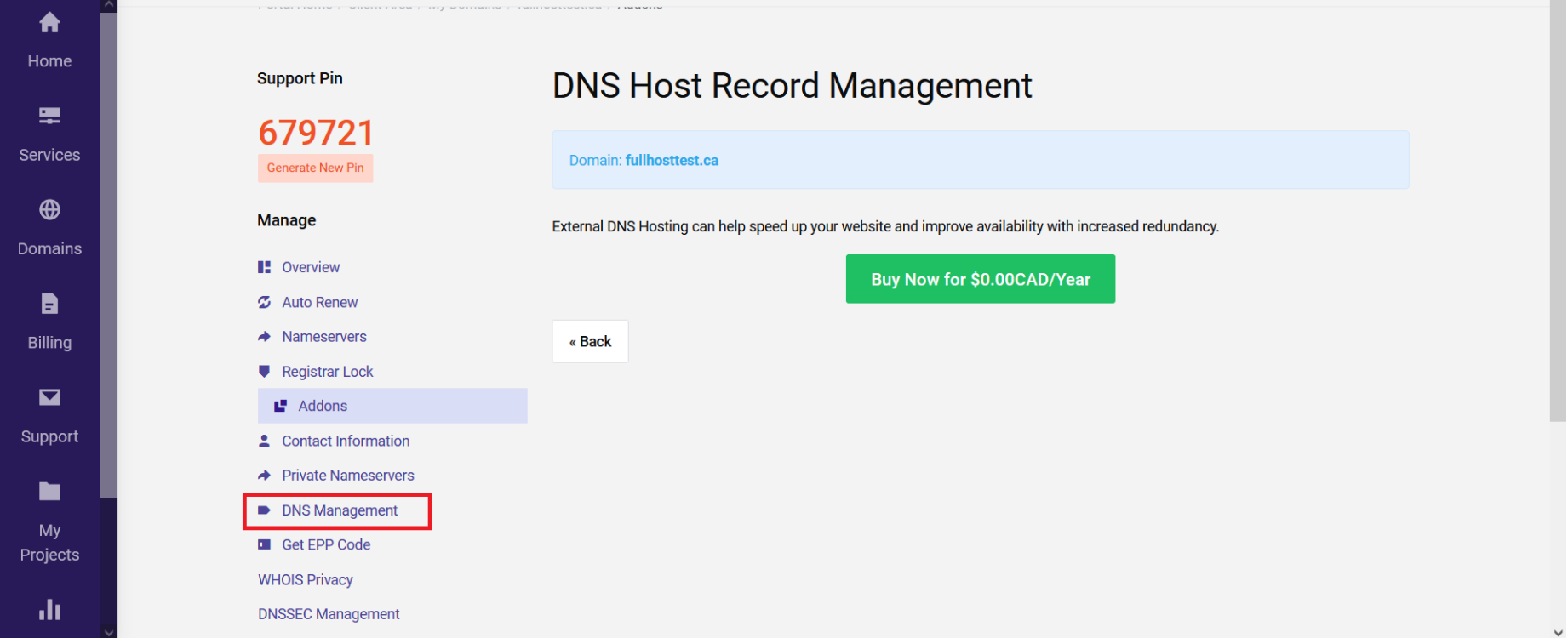
Now go back to the previous page and you will see a new tool called “DNS Management”.
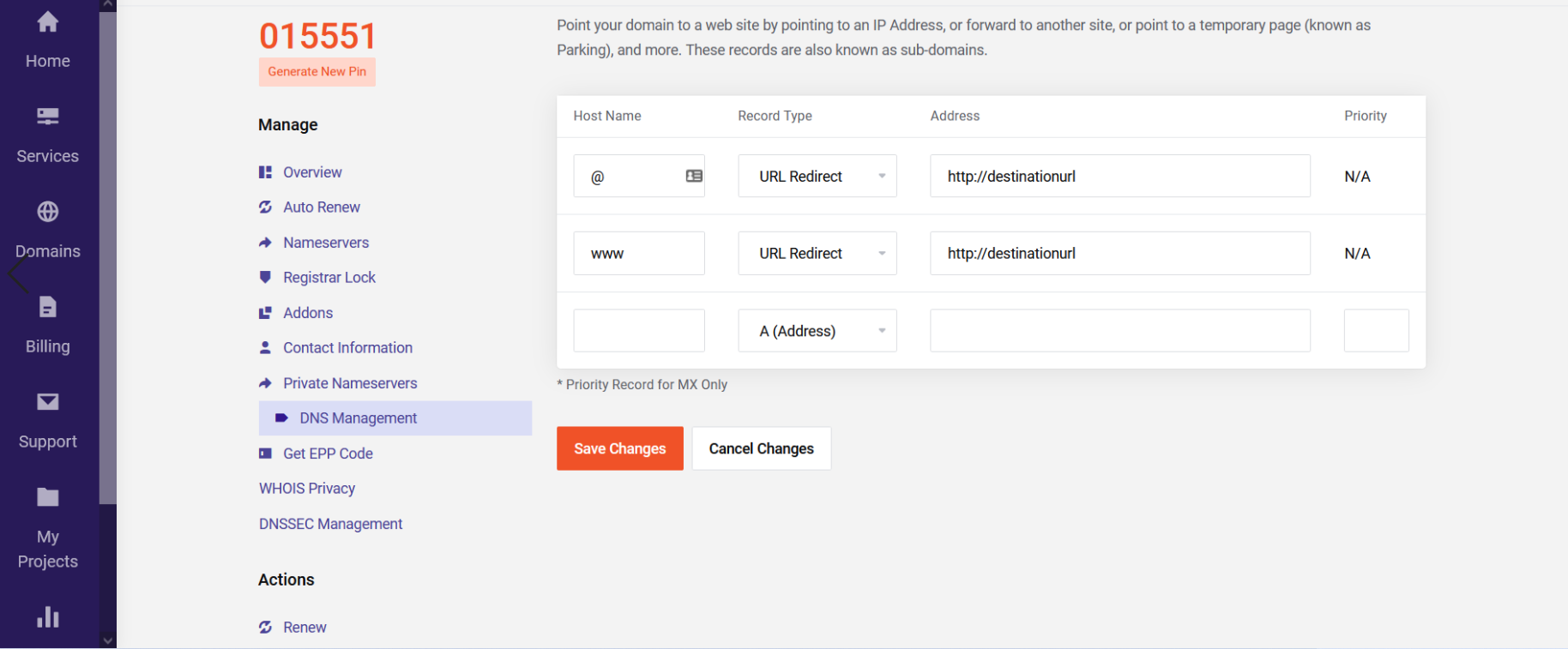
Here you can redirect both the domain and www version of the domain. Select Url redirect as Record Type. So the two records will look as follows.
@ Url redirect destination url
www Url redirect destination url
Finally, change the Nameservers of the domain to the following.
ns10.fullhost.net
ns11.fullhost.net
ns12.fullhost.net
Wait for some time for the DNS to complete propagation and the domain will start redirecting to the configured destination URL.
